
Selfie Camera - Photo Effects
Battery Stats SaverBeauty
4.7113.00 Reviews
- Version
- 2.1.0
- Installs
- 500.00K
- Age Rating
- Everyone
Screenshots
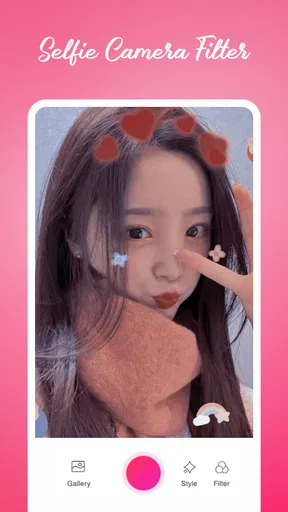
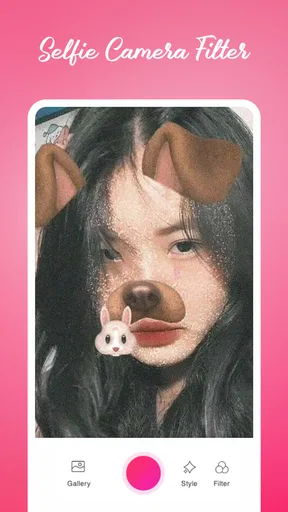
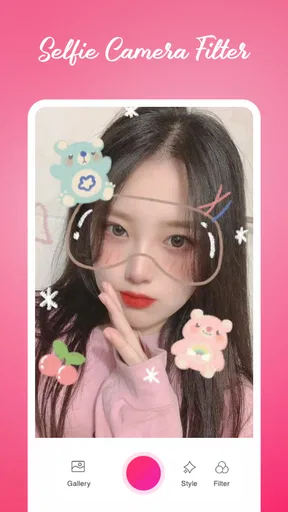
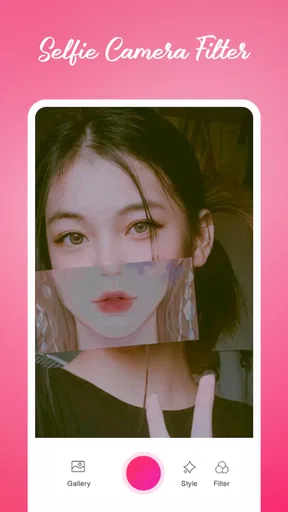
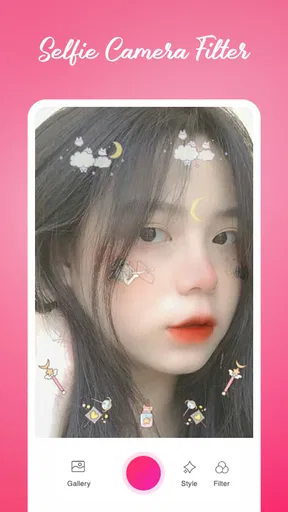
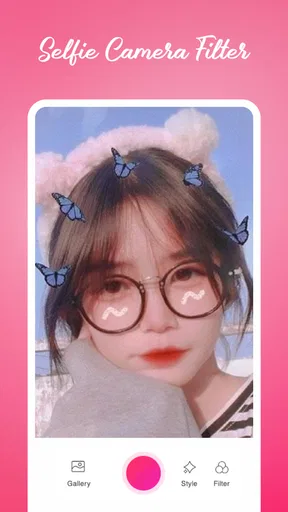
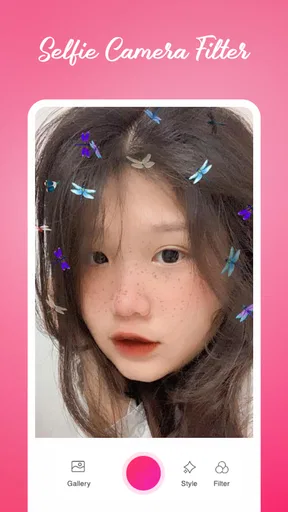
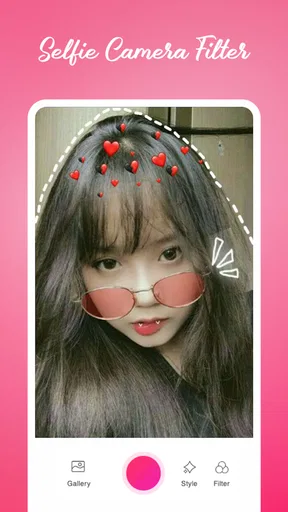
Our Review of Selfie Camera - Photo Effects
 Analysis by Appyee
I judge a selfie camera by more than the number of effects it offers. I also want to know whether I can find my way around it quickly, whether its look suits the moment, and whether it feels comfortable to use when I’m not in ideal lighting or have only a minute to spare. Selfie Camera - Photo Effects is a free beauty app from Battery Stats Saver, aimed at people who want to make casual self-portraits more playful without turning the process into a full editing project.
Its appeal is easy to understand: the emphasis is on taking selfies with visual effects, rather than learning a complicated photo-editing workflow. It has an average rating of 4.6 from around 3.8 thousand ratings, and more than 500 thousand installs. Those figures suggest that many people have tried it, but they don’t tell me whether its style will suit you; that depends on how much you enjoy experimenting with filters and face effects.
Finding your way around the camera
When I’m trying a selfie app, I prefer to decide on a look before taking several nearly identical pictures. The useful thing about a camera built around effects is that it can bring that choice into the moment of capture. I can compare a playful treatment with a more restrained one while framing the shot, instead of taking a photo first and sorting through a long editing session later.
That approach works best when the screen is easy for you to scan and the controls feel familiar. Selfie Camera - Photo Effects is presented as a straightforward selfie camera, which makes it a more approachable starting point than a multi-purpose editor crowded with tools for cropping, layers, retouching and color correction. I’d still take a minute to learn where the main camera and effect controls sit before relying on it for a quick group photo. A little familiarity can save fumbling when everyone is ready to move on.
Comfort, pace and visual effects
Filters and face effects can make a photo feel more expressive, but they also change how much visual information is on screen. If motion, bright colors or a busy preview make camera apps tiring for you, a simple workflow and a restrained effect are likely to be more comfortable than switching rapidly among bold treatments. I’d try a few options at an easy pace and keep the one that remains clear and pleasant to look at.
Selfie Camera - Photo Effects is for fun portraits, not a substitute for a camera workflow designed around detailed accessibility controls. If you rely on specific screen-reader behavior, large text, voice operation or other assistive options, check how the app works on your own device before planning to depend on it. The practical test is whether you can reach the shutter and choose an effect comfortably, not whether an app’s overall style looks simple at first glance.
When a dedicated selfie app fits
I can see this working well for someone who wants a quick, informal portrait for a chat, a playful profile picture or a themed post. It is less compelling if your main goal is subtle, consistent retouching across a batch of photos, careful color work, or a polished portrait that needs to match a professional brief. A phone’s standard camera may be the better choice when natural detail matters most; a general photo editor may suit you better when you want precise adjustments after the shot.
One useful habit is to compare an effect against the unmodified view before settling on it. That helps me notice when a filter is changing the mood in a way I didn’t intend, especially under mixed indoor lighting. I’d also take a test photo before an important moment: a preview can help with framing, but checking the saved result is the surest way to decide whether the look and detail are right for sharing.
Unleashing Your Inner Photographer
Okay, first things first. When I opened up Selfie Camera - Photo Effects, I was pleasantly surprised by how intuitive it was. You know how some apps make you feel like you need a degree in photography just to get started? Not this one. It’s straightforward, and everything is right where you’d expect it to be.
The app is packed with a variety of filters and effects that can make any photo pop. Whether you’re going for a natural look or something more dramatic, there’s something here for everyone. Personally, I loved the vintage filters. They give your selfies that retro vibe that’s all the rage right now. Plus, the real-time preview feature is a nice touch. I could see the effects as I was snapping the photo, which saved me a ton of time.
Editing Made Easy
Now, let’s talk about the editing tools. If you’re a perfectionist like me, you’ll appreciate the detailed editing options. The app allows you to tweak everything from brightness and contrast to saturation and sharpness. There’s even a blemish remover that works like magic. Seriously, it’s like having a mini Photoshop in your pocket.
One feature I really appreciated was the ability to adjust the intensity of the effects. Sometimes, less is more, right? With a simple slider, I could tone down those bold filters to get just the right look. It’s these little details that make the app stand out from the crowd.
Fun with AR Stickers
Who doesn’t love a good AR sticker? They’re fun, quirky, and a fantastic way to add some personality to your selfies. The app offers a wide range of stickers, from cute animal ears to funky sunglasses. I might have spent a bit too much time trying them all out, but hey, it was worth it! The stickers are well-designed and actually fit well with the face, which isn’t always the case with other apps.
For an everyday use, I’d treat those stickers as a creative extra rather than the reason to use the camera every time. If I’m taking a quick picture before meeting a friend, I’d pick one effect, check the framing, and take a test shot instead of cycling through every option. For a more spontaneous moment, I’d skip the sticker and keep the preview simple so I can focus on the person in front of the lens. That small distinction makes the app easier to fit into real life: playful effects are most useful when they suit the occasion, rather than when they delay it.
Sharing Your Masterpieces
Once you’ve crafted your perfect selfie, sharing it is a breeze. The app connects seamlessly to social media platforms like Instagram and Facebook. With a couple of taps, you can share your creations with the world and start racking up those likes and comments. The app even lets you save your photos in high resolution, so your pics look sharp and clear even after uploading.
I’d still make saving the finished image my first step if I care about keeping a copy, then share it through whichever service I normally use. That gives me a chance to review the crop and overall appearance before posting, and avoids making the social post itself the only place I check the result. If you’re preparing a profile photo, for example, view it at the size people are likely to see it; a detail that looks great enlarged can feel too strong in a small circle crop.
Who should give it a try
The app is best suited to people who like taking casual selfies and want filters or face effects ready as part of the camera experience. It can be a fun choice for a quick themed picture, a silly photo to send to a friend, or a low-stakes social post where personality matters more than precise editing. I’d recommend it to someone who enjoys trying visual styles but doesn’t want to begin with a complex desktop-style editor.
I’d steer away if your priority is a natural-looking portrait with consistent results every time, or if you need a carefully controlled workflow for work, product images or a portfolio. A standard camera is often less distracting for an important photo, while a dedicated editor is usually a better fit for measured retouching and repeatable color choices. The trade-off is simple: this app favors playful, immediate results over a highly controlled photography process.
Practical details and everyday fit
The app is free to download and is rated for Everyone. It was released on August 20, 2022, and its current version is 2.1.0, with Android 5.0 as the minimum operating-system requirement. In-app purchases range from $0.99 to $99.99 per item, so I’d pay attention to any purchase prompt and decide whether an optional item is worth it before confirming anything. The basic appeal is trying selfie effects; there’s no need to treat a purchase as part of deciding whether the camera’s style suits you.
For a realistic routine, imagine you have a few minutes before heading out and want a new profile picture. I’d use the preview to choose a subtle look, take one test shot near a window, and check the saved image for lighting and crop. If it looks too processed, I’d reduce the effect or return to the phone’s standard camera. This is a better use of the app than expecting a filter to fix harsh shadows or an awkward angle after the fact.
It also helps to separate the job of taking the picture from the job of choosing where it goes. A quick selfie for a private message can be more experimental; a photo intended for a professional profile benefits from a calmer effect and a second look before sharing. If you’re taking pictures with another person, agree on the general style first rather than making them wait while you audition every filter. These small choices make the camera feel like a tool for the moment, not a distraction from it.
What to check before relying on it
People often want to know whether a selfie effect will look the same in every situation. I wouldn’t assume that it will: lighting, angle and the particular face in the frame can all change how an effect comes across. Try the intended look in the place where you plan to take the photo, especially if the final picture matters. A preview is useful for choosing a direction, but the saved image is what you should judge before posting or keeping it as a profile picture.
Another reasonable question is whether this can replace a regular camera. I wouldn’t make that switch across the board. A standard camera is the more dependable pick when I want a straightforward, unembellished shot, while a broad photo editor is better when I want detailed changes after capture. This app makes more sense when the fun of choosing a selfie treatment is part of the point.
Ease of use also depends on the person holding the phone. Someone who is comfortable tapping small on-screen controls may find the direct camera approach convenient; someone who needs particular assistive behavior should test the controls and preview on their own device first. For a shared family phone, I’d let each person try it in a calm moment instead of handing it over for the first time during a rushed group picture. That gives them room to decide whether the visual effects and pace work for them.
A considered verdict
So, is Selfie Camera - Photo Effects worth downloading? Absolutely. Whether you’re a selfie pro or just dabbling for fun, this app has a lot to offer. It’s user-friendly, packed with features, and best of all, it makes taking photos fun again. It’s like having a professional camera crew on your phone, ready to make every shot Instagram-worthy.
In a world where your online image can be everything, having a tool like this in your arsenal is priceless. So go ahead, give it a try, and unleash your inner photographer. You might just surprise yourself with what you can create!
My recommendation comes with a practical caveat: I’d choose it for playful selfies and quick experimentation, not as my only camera or my answer to every photo-editing need. Battery Stats Saver’s app has a clear appeal if filters and face effects are what you want to explore, and the free starting point makes it easy to see whether that style clicks for you. If comfort, readability or access to specific controls is essential, test those parts first; if they feel awkward, your phone’s built-in camera or a more suitable editor will be the better companion.
Verdict
Strengths of Selfie Camera - Photo Effects
- Intuitive interface for easy navigation.
- Wide variety of filters and effects.
- High-quality output with minimal effort.
- Real-time editing features are seamless.
- Frequent updates with new effects.
Limitations of Selfie Camera - Photo Effects
- Ads can be intrusive during use.
- Limited features in free version.
- Some effects require in-app purchases.
- Occasional lag on older devices.
- No cloud backup for edited photos.
Other Releases by Battery Stats Saver
View All
Photo Lock App - Hide Pictures
Personalization4.6

All Deleted Messages Recovery
Communication4.2

USB Screen Share - Phone to TV
Personalization3.8

Speak and Translate Languages
Communication4.7
Similar Picks in This Category
View All
Beauty Makeup Editor & Camera
Photo & Video Editors - Instant Solution4.7

Perfect365: Face Makeup Editor
Perfect365, Inc.3.5

Mirror Plus - HD Mirror app
Digitalchemy, LLC4.8

Cute Lock Screen & Wallpapers
Prometheus Interactive LLC4.6

HD Camera for Android
One Music Player4.5

Phone Mirror app - True Mirror
Cards4.6
Frequently Asked Questions
What features does the Selfie Camera - Photo Effects app offer?
Selfie Camera - Photo Effects provides a wide range of filters and effects to enhance your photos instantly. It includes options for adjusting brightness, contrast, and saturation, as well as unique features like beauty mode, face slimming, and virtual makeup. Additionally, you can access real-time filters to see changes as you capture the perfect selfie.
Is the Selfie Camera - Photo Effects app free to use?
The app is free to download and offers many features at no cost. However, there are optional in-app purchases for premium filters and effects. A subscription model may be available for users who want to unlock all features, providing a more comprehensive editing experience without ads.
Does the Selfie Camera - Photo Effects app work offline?
Yes, the app works offline for most basic features, such as taking photos and applying downloaded filters. However, some features, like accessing new effects or cloud storage options, may require an internet connection. Users should ensure they have downloaded any necessary content while connected to the internet.
How user-friendly is the Selfie Camera - Photo Effects app?
The app is designed with a user-friendly interface, making it accessible even for beginners. It offers an intuitive layout with easy-to-navigate menus and a straightforward editing process. Guided tutorials and tips are available within the app to assist users in maximizing their photo editing skills.
Is my data safe with the Selfie Camera - Photo Effects app?
The app takes user privacy seriously and adheres to standard data protection protocols. It does not store personal photos or data without user consent. Users are encouraged to review the app’s privacy policy to understand how their data is used and to adjust privacy settings according to their preferences.
